How to Create a Naira Virtual Card on HostFi and Fund It With Crypto
The HostFi naira virtual card works on several platforms, including X (formerly Twitter), Netflix, Spotify, Showmax, Boomplay/Audiomack, AliExpress, Jumia/Konga, Chowdeck, and Bolt/Uber, among others.

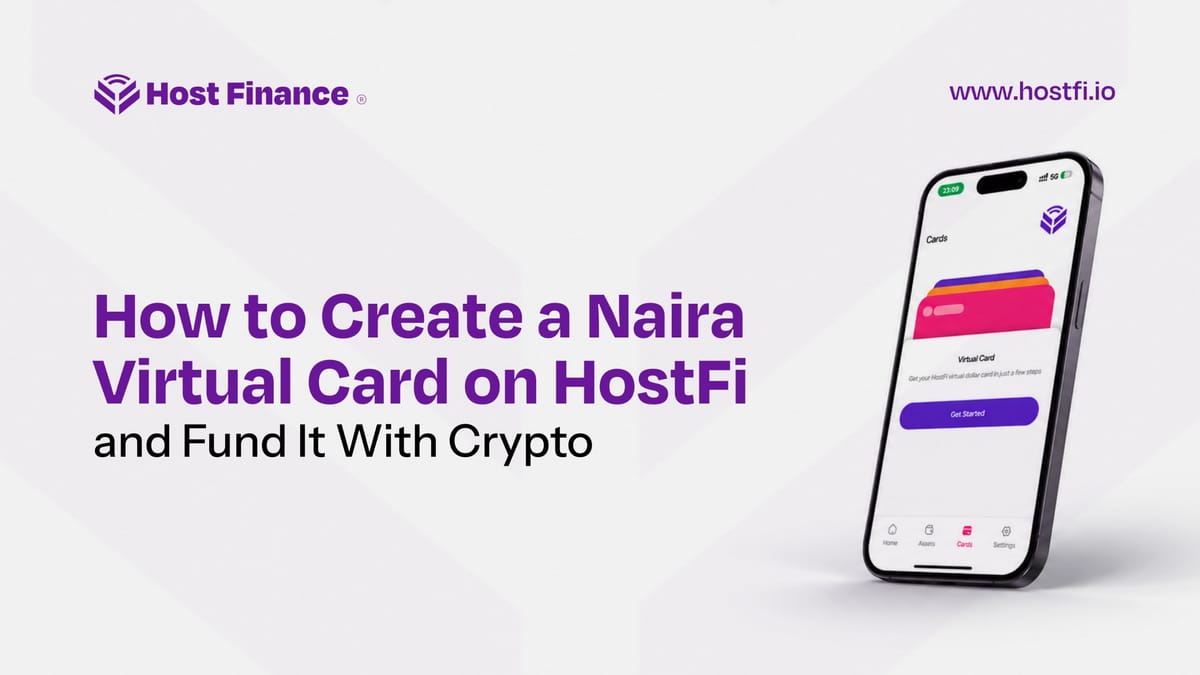
Your crypto should be working for you every day, not just sitting in a wallet waiting for the next trade. With HostFi, it can. The app lets you create a naira virtual card, fund it directly from your crypto holdings, and withdraw unused funds right back into your wallet whenever you need.
This guide walks you through the entire process, step by step.
What Is a Naira Virtual Card?
A naira virtual card is a digital payment card denominated in Nigerian naira. You can use it on any platform that accepts card payments in Naira, including services built on Paystack, Flutterwave, Remita, Stripe, Monnify, and other compatible gateways. Think bill payments, subscriptions, Nigerian e-commerce platforms, and any online merchant that processes naira transactions.
Most naira card providers require you to fund from a naira wallet only. HostFi does something different: it lets you fund your naira card directly with crypto — whether that is Bitcoin (BTC), USDT, USDC, Solana, BNB, or Ethereum. Your chosen crypto is converted, and your card is credited in one seamless step, with zero fees on the conversion.
Before You Begin
You will need a verified HostFi account and at least one funded wallet in the app — naira, dollar, or crypto. If you have not downloaded HostFi yet, it is available on both the Apple App Store and Google Play Store.
Part 1: How to Create Your Naira Virtual Card
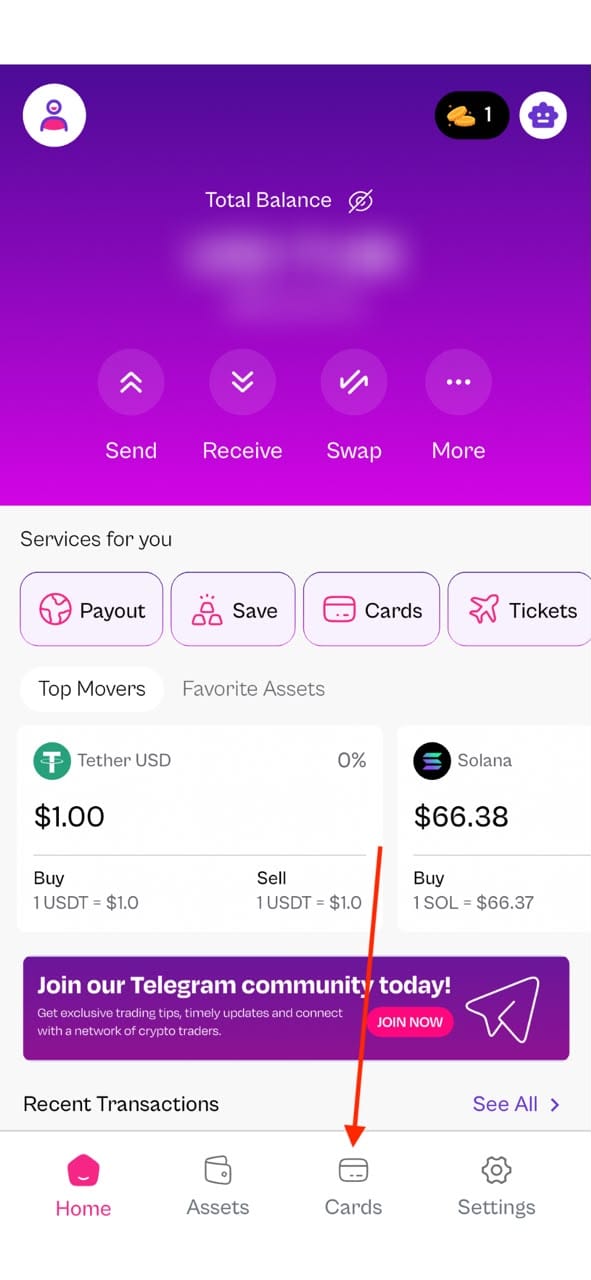
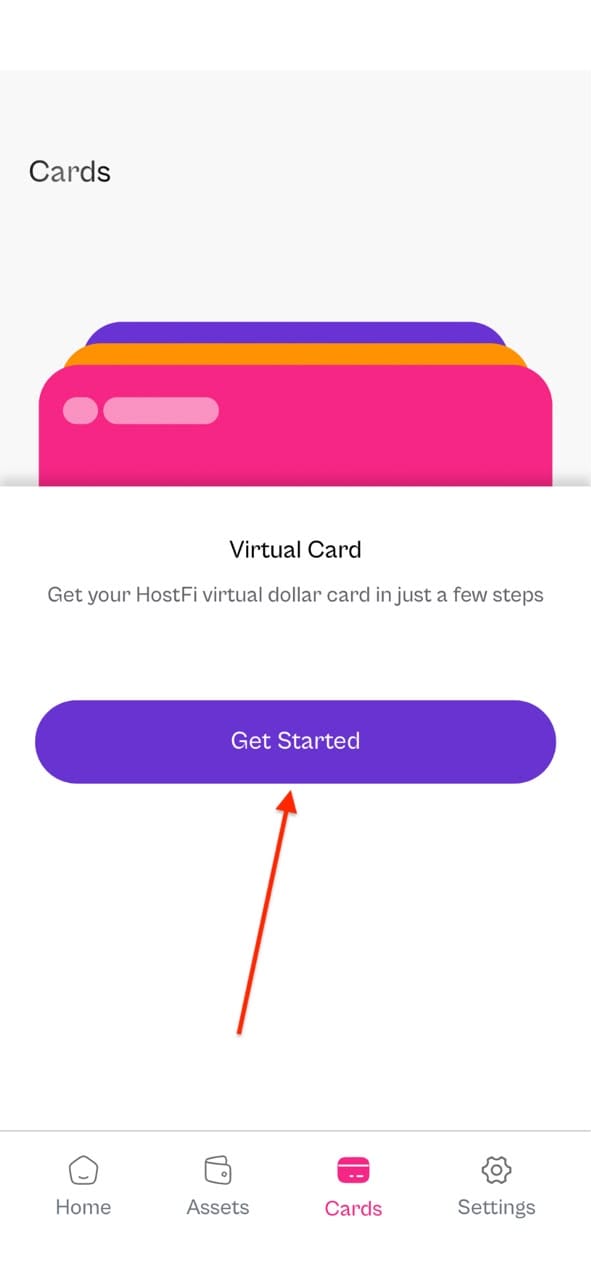
Step 1: Open the app and go to Cards
From the home screen, open the side menu and tap "Cards" to get started with creating your virtual card.
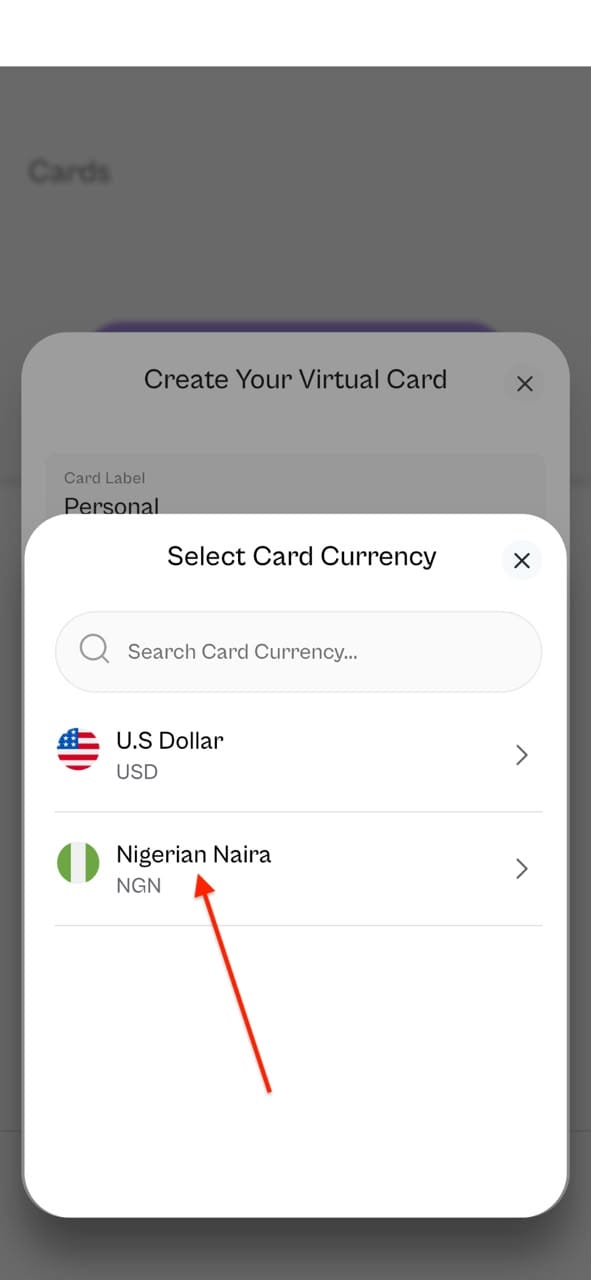
Step 2: Choose your currency
You will be prompted to select a currency for your card. Choose Naira (NGN).
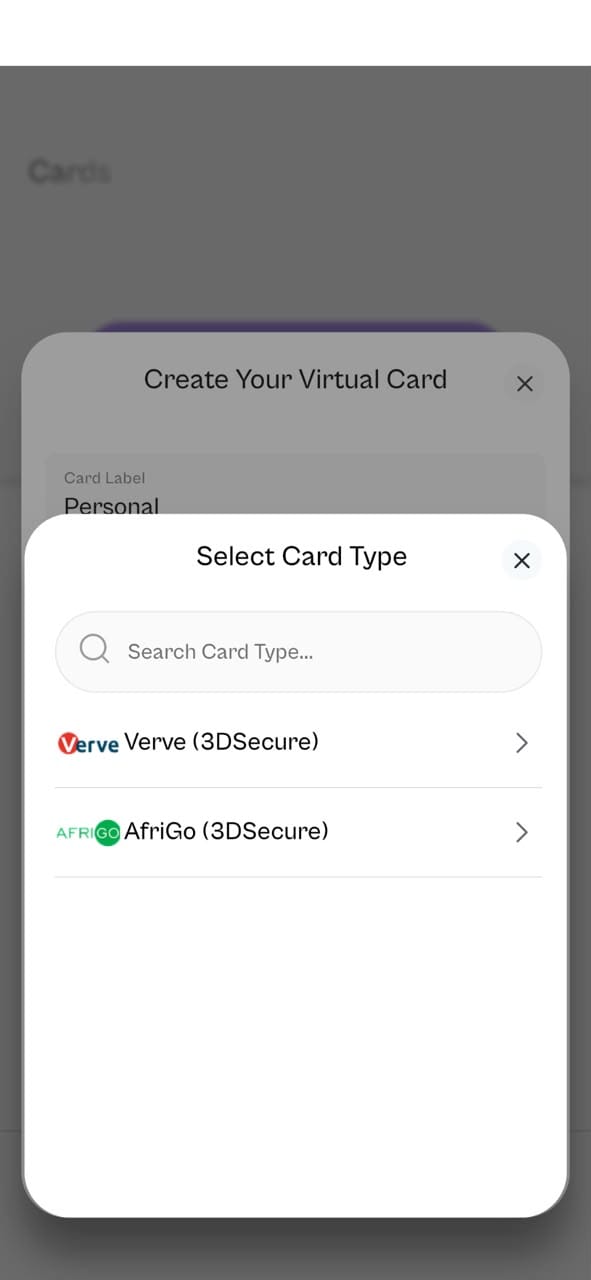
Step 3: Select the card type
Next, select the type of card you want. For the sake of this tutorial, we’ll be going with Verve.
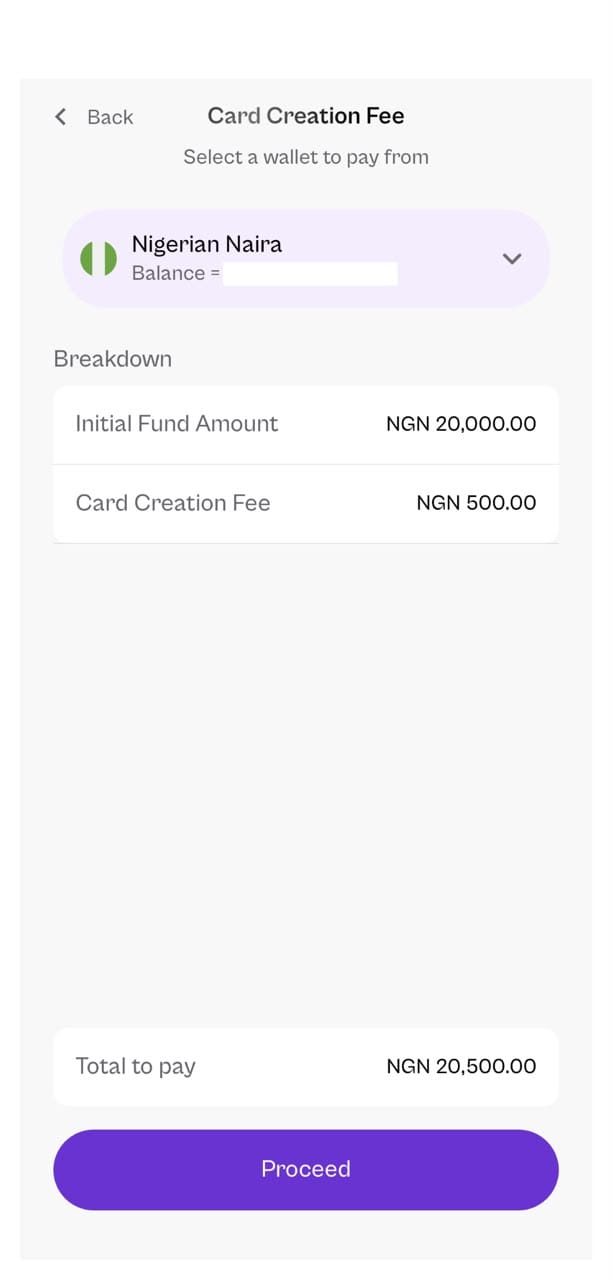
Step 4: Enter your initial funding amount
You will be asked to fund your card on creation. The minimum initial amount is ₦500. There is also a flat card creation fee of ₦500. Enter your preferred amount and tap "Proceed."
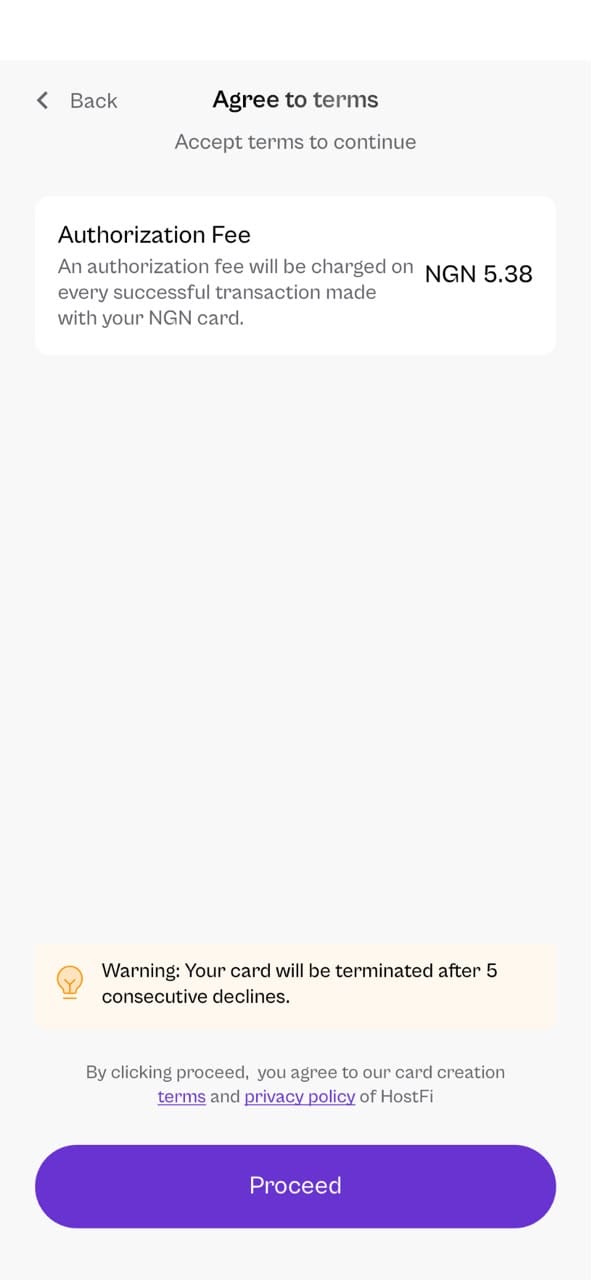
Step 5: Review the authoriation fee notice
A notice about the authorization fee will appear on screen. Read it and confirm to continue.
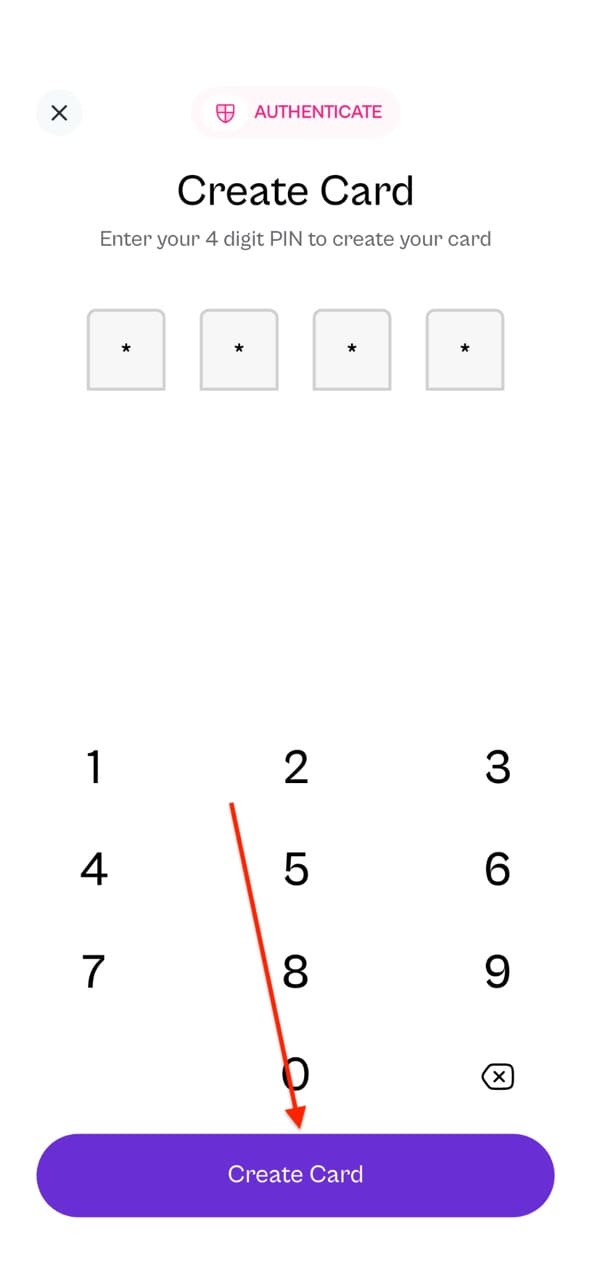
Step 6: Enter your PIN and confirm
Enter your transaction PIN to authorise the creation, then tap "Create Card."
Step 7: Your card is live
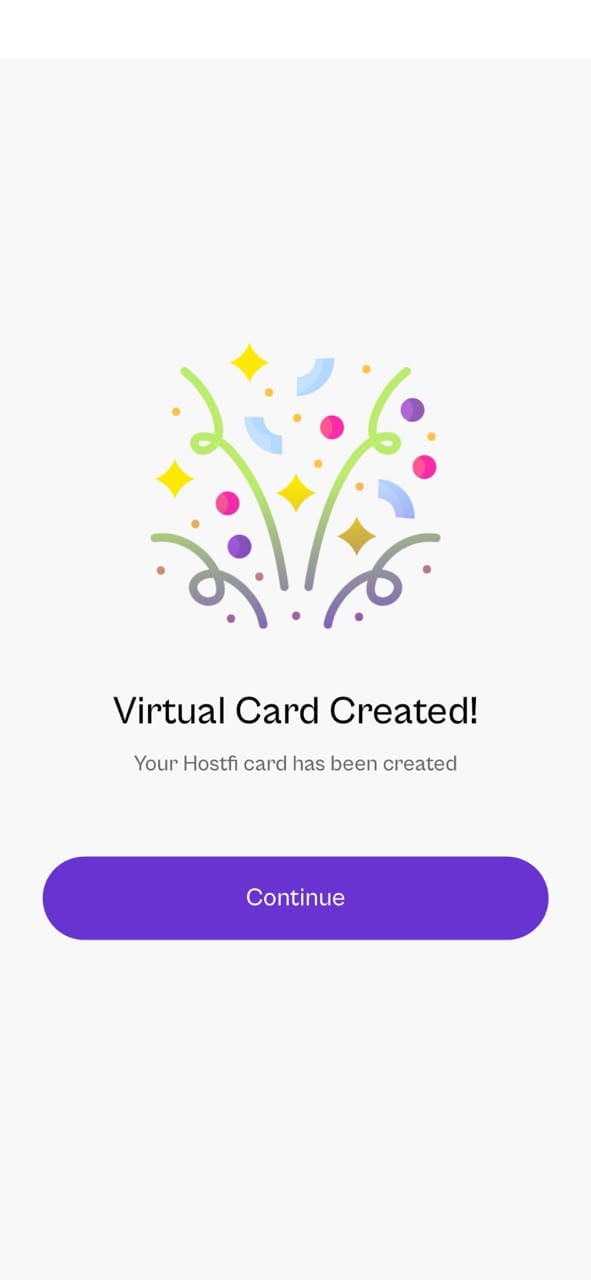
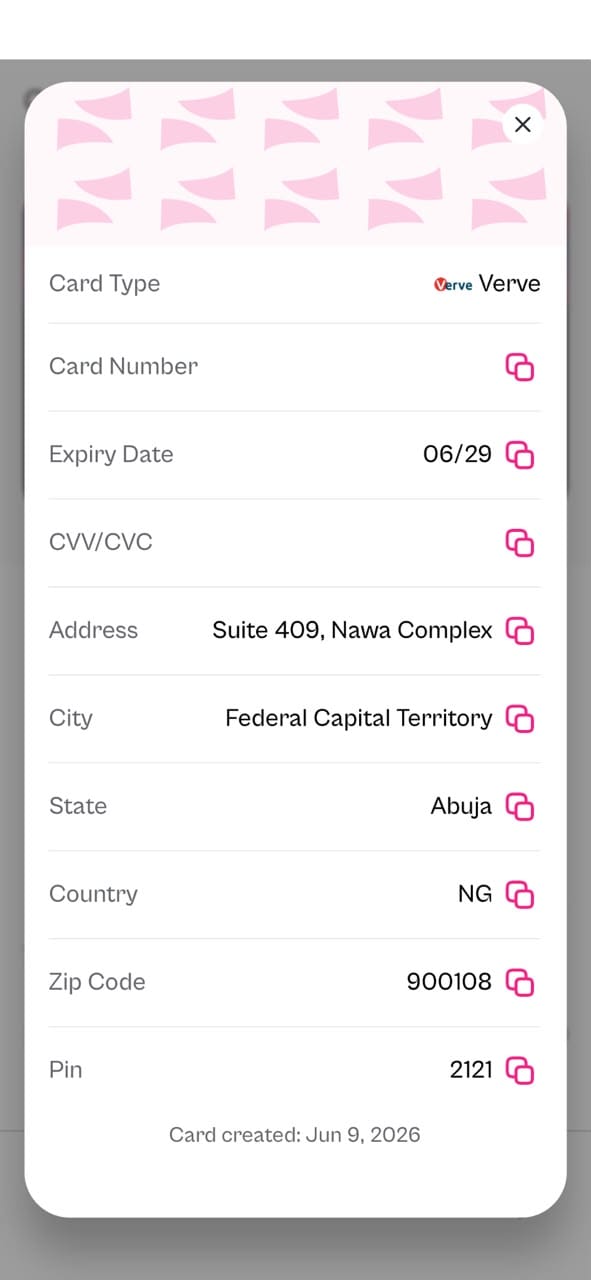
Your virtual naira card is created immediately. It appears in your Cards section, with sensitive details masked by default. Tap to reveal the card number, expiry date, and CVV whenever you need them. HostFi also sends a confirmation email the moment your card is created.
Part 2: How to Fund Your Naira Card With Crypto
This is the part that sets HostFi apart from most virtual naira card providers in Nigeria. You do not need to manually convert your crypto to naira before funding. The app handles the conversion in one step — and charges no fees for it.
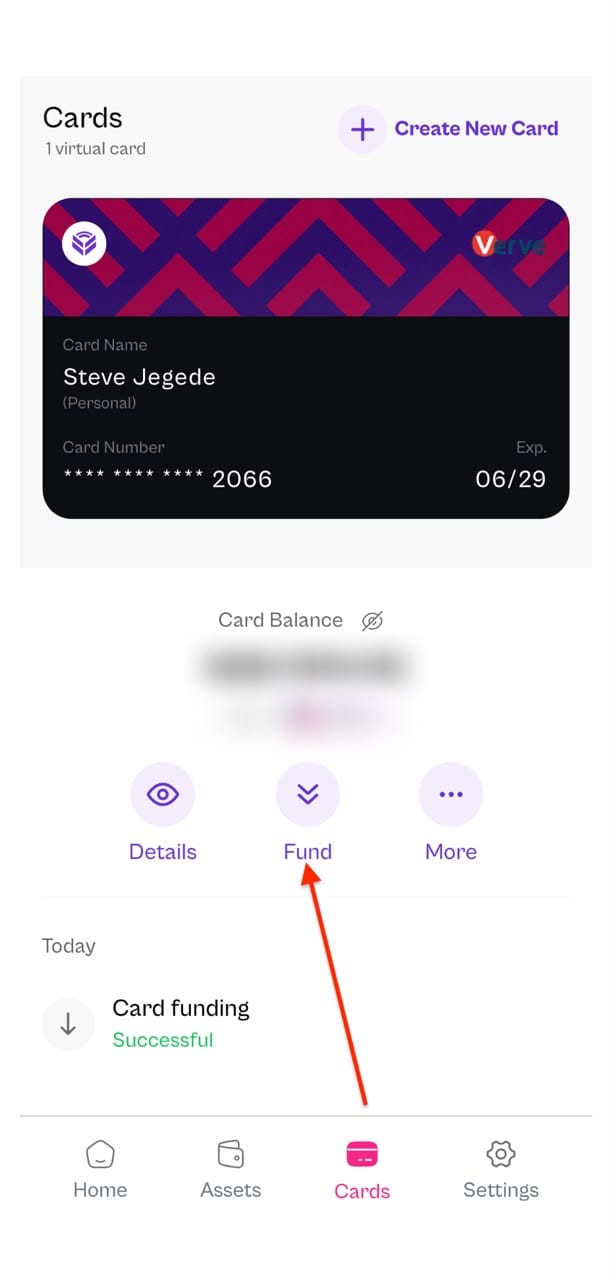
Step 1: Navigate to your card and tap "Fund"
Open the Cards section, select your naira card, and tap the "Fund" button.
Step 2: Select the wallet you want to fund from
A list of your available wallets will appear. You can fund from Bitcoin, USDT, USDC, Solana, BNB, Ethereum, or your naira wallet. Select the wallet you want, confirm it has enough balance, and enter the amount.
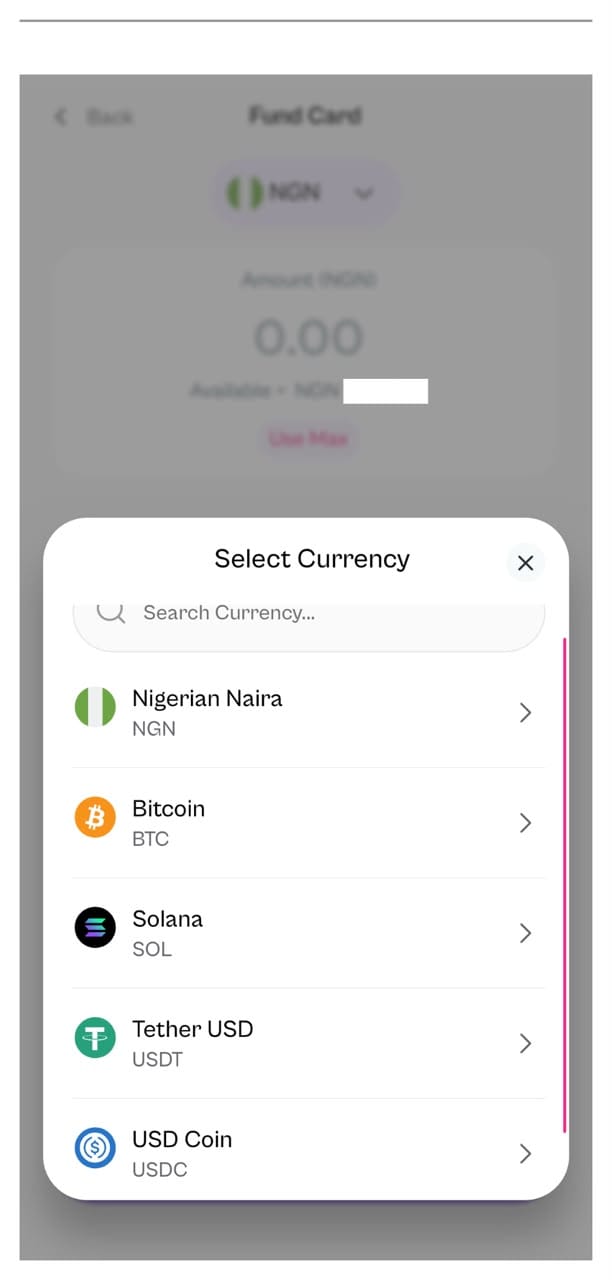
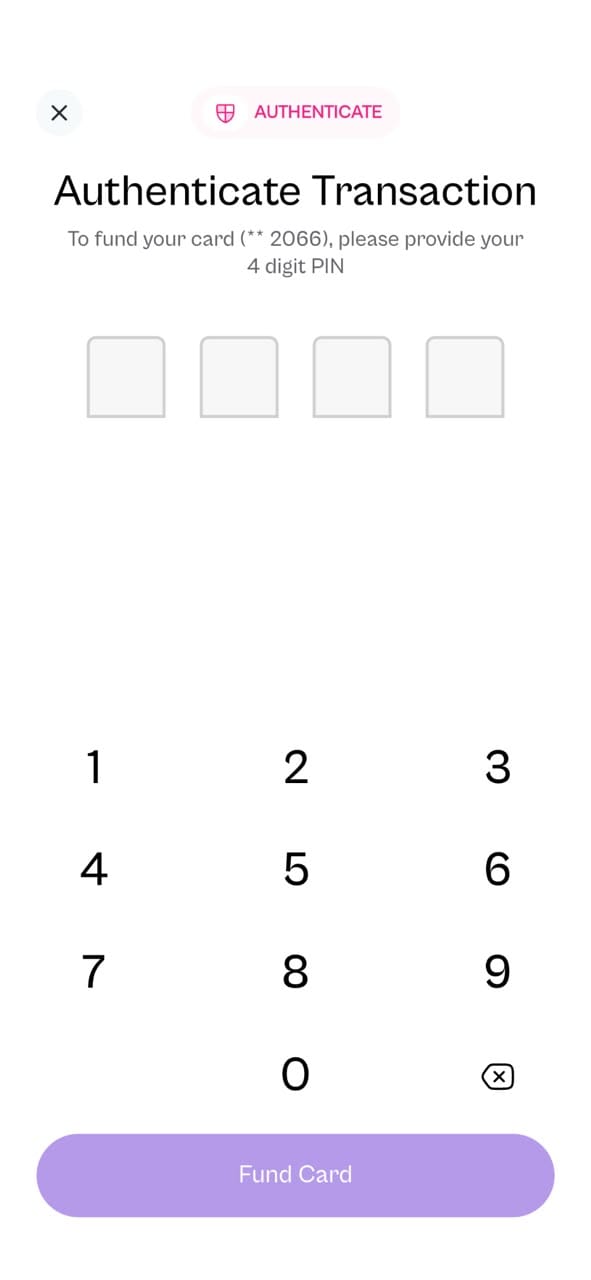
Step 3: Authenticate the transaction
Enter your PIN to confirm. The conversion is instant, and the equivalent naira value is credited to your card right away. You will receive an email notification once the funding goes through.
Part 3: How to Withdraw Funds From Your Naira Card
Did not spend everything? You can move unused card funds back into any of your HostFi wallets at any time.
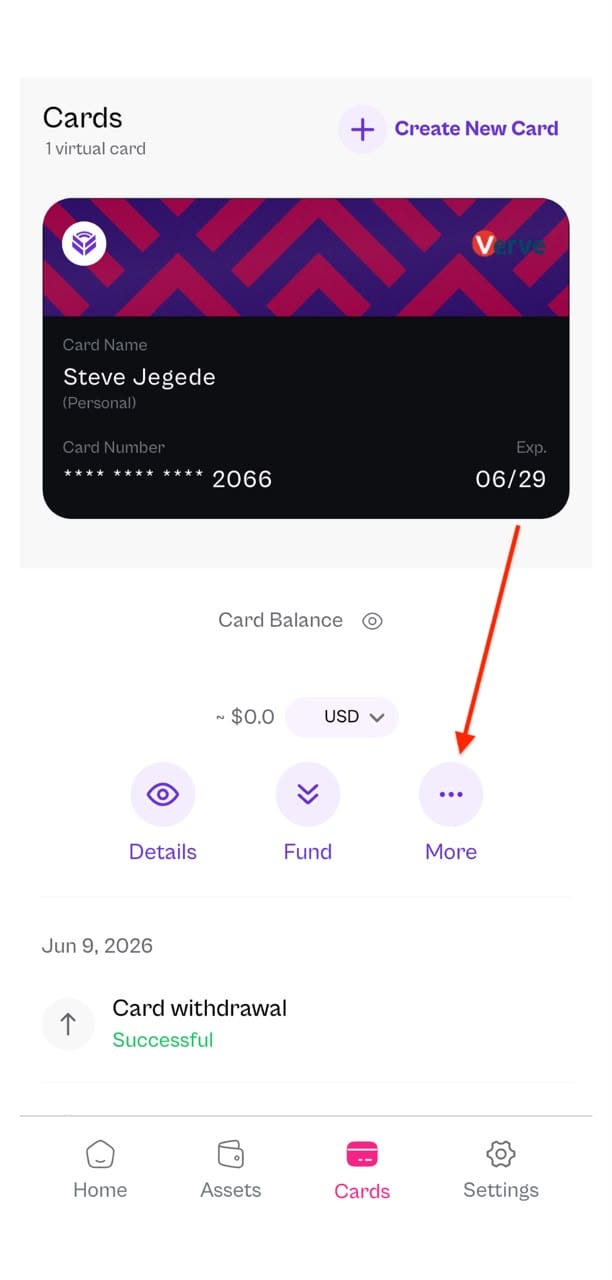
Step 1: Open your card and tap "More"
Navigate to the Cards section, select your naira card, and tap the "More" option.
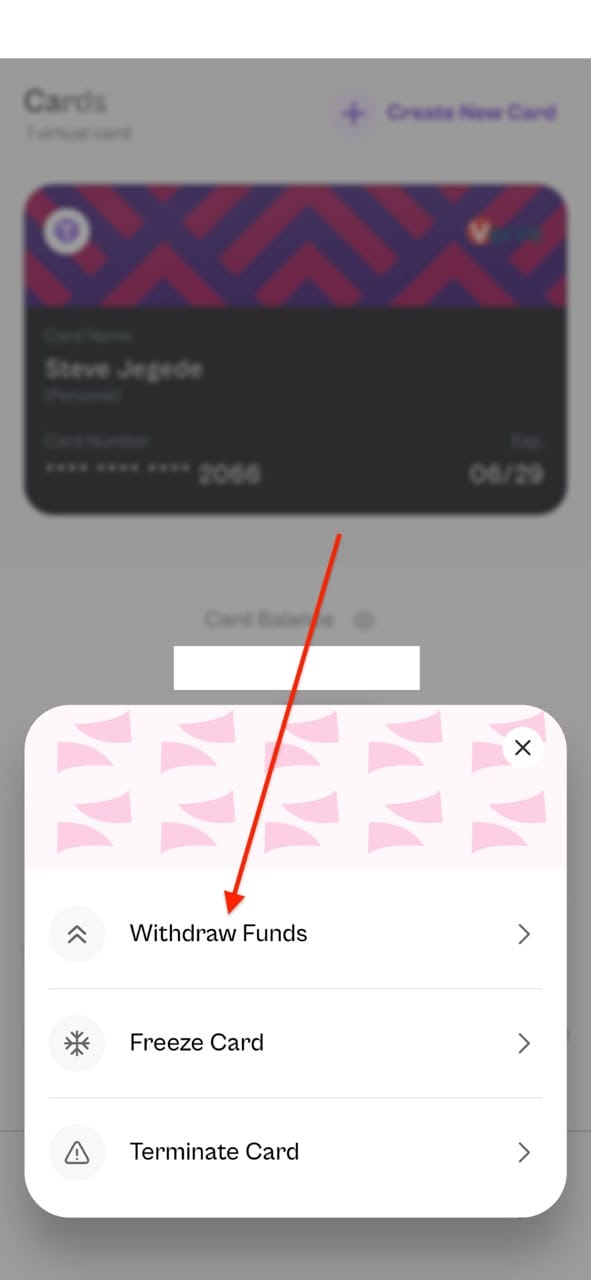
Step 2: Tap "Withdraw Funds"
Select the withdrawal option from the menu that appears.
Step 3: Enter the withdrawal amount
Type in the amount you want to pull from the card.
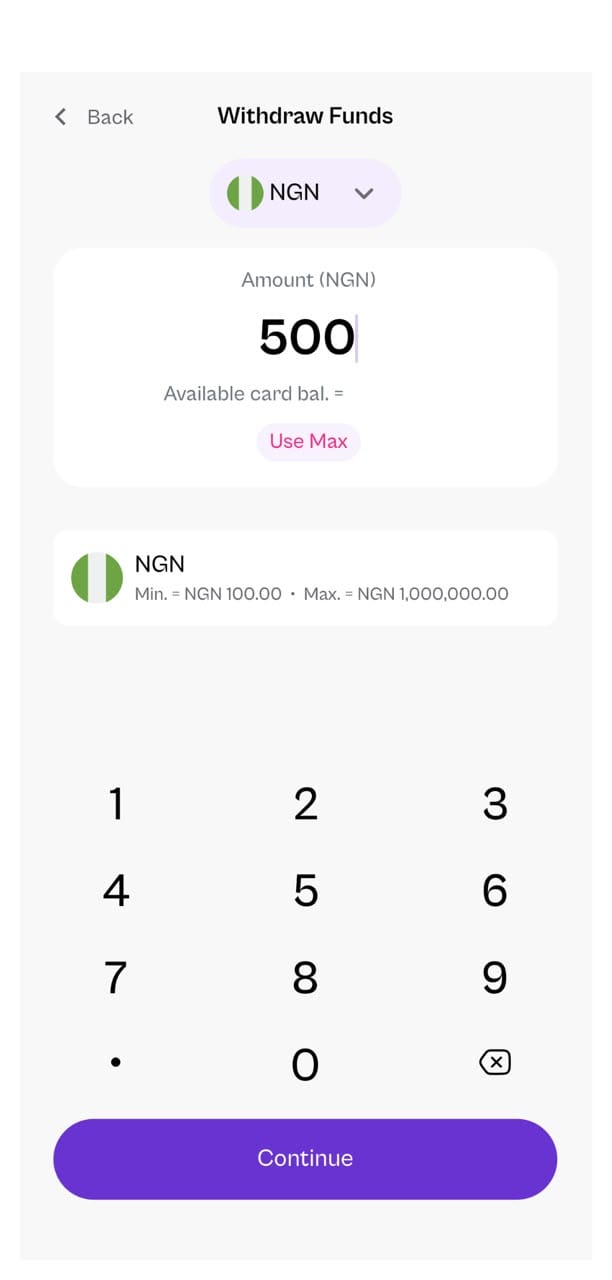
Step 4: Choose which wallet/currency to receive the funds
Select the destination wallet — your naira wallet, or any supported crypto wallet in the app.
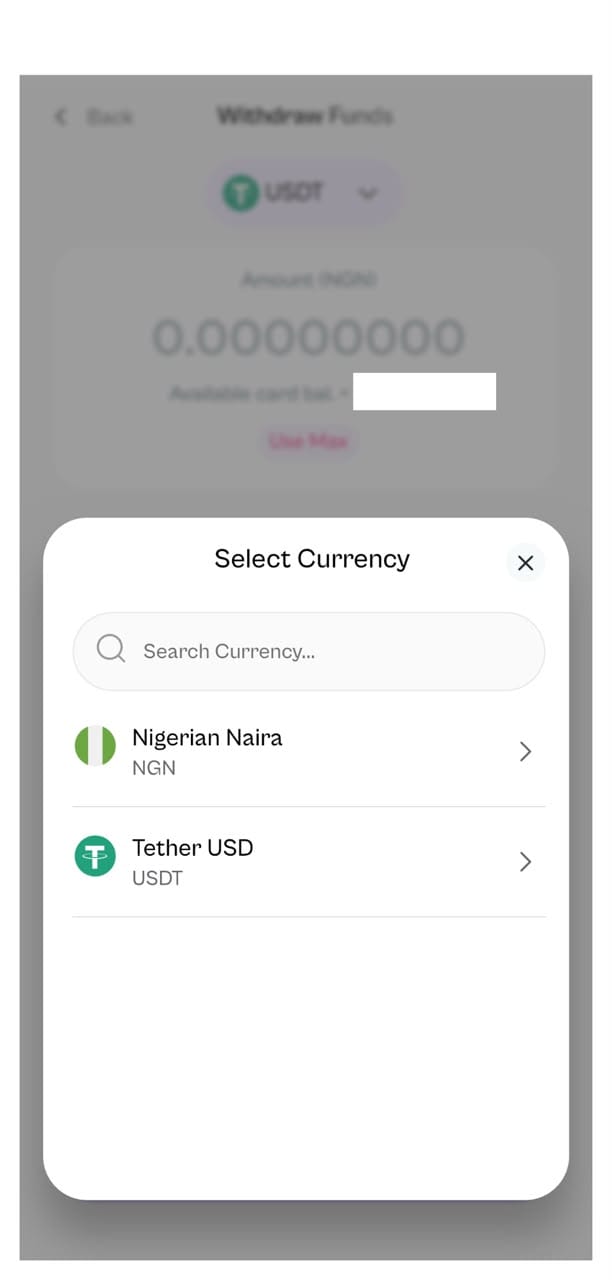
Your wallet is credited immediately, and a confirmation email follows.
A Few Things Worth Knowing
Card creation fee: A flat ₦500 is charged at the point of creation.
Minimum funding amount: The minimum initial top-up is ₦500 at creation. Check the app for minimum thresholds on subsequent top-ups.
Zero conversion fees: HostFi charges no fees on in-app swaps or conversions when funding your card with crypto. Fees apply only to withdrawals.
Email notifications: You receive email alerts for every card event — creation, funding, and withdrawal.
Supported platforms: The HostFi naira virtual card works on several platforms, including X (formerly Twitter), Netflix, Spotify, Showmax, Boomplay/Audiomack, AliExpress, Jumia/Konga, Chowdeck, and Bolt/Uber, among others.
Why This Matters
If you earn in crypto (as a freelancer, remote worker, or trader), spending locally in naira typically involves multiple steps: cash out, wait for a bank transfer, then spend. With a HostFi naira virtual card funded by crypto, you skip the middleman entirely. Hold your wealth in Bitcoin, USDT, Solana, or any other supported asset, and convert directly to a spendable naira card when you need it. Unused funds go right back into your wallet.
Ready to get started? Download HostFi on the App Store or Google Play, complete your verification, and create your naira virtual card today.