How to Buy Solana (SOL) in Nigeria with Naira and Send It to Phantom
Skip P2P escrow delays and bank card caps. Learn how to deposit naira via bank transfer, convert NGN to SOL with zero platform fees, and withdraw straight to your Phantom wallet.

Figuring out how to buy Solana in Nigeria often feels harder than trading the asset itself. Binance pulled naira from P2P in February 2024 and ended all naira services in March 2024. Since then, everyday buyers have navigated P2P escrow delays and third-party checkout widgets where many banks cap international spending, and limits vary.
To fund a Phantom wallet for decentralised finance (DeFi) trading, you need a direct rail from your local bank account to the Solana blockchain. HostFi bridges that gap. The app lets you deposit naira via bank transfer, convert it to SOL with zero platform conversion fees, and send it straight to self-custody.
How to Buy Solana and Send to a Wallet (Step-by-Step)
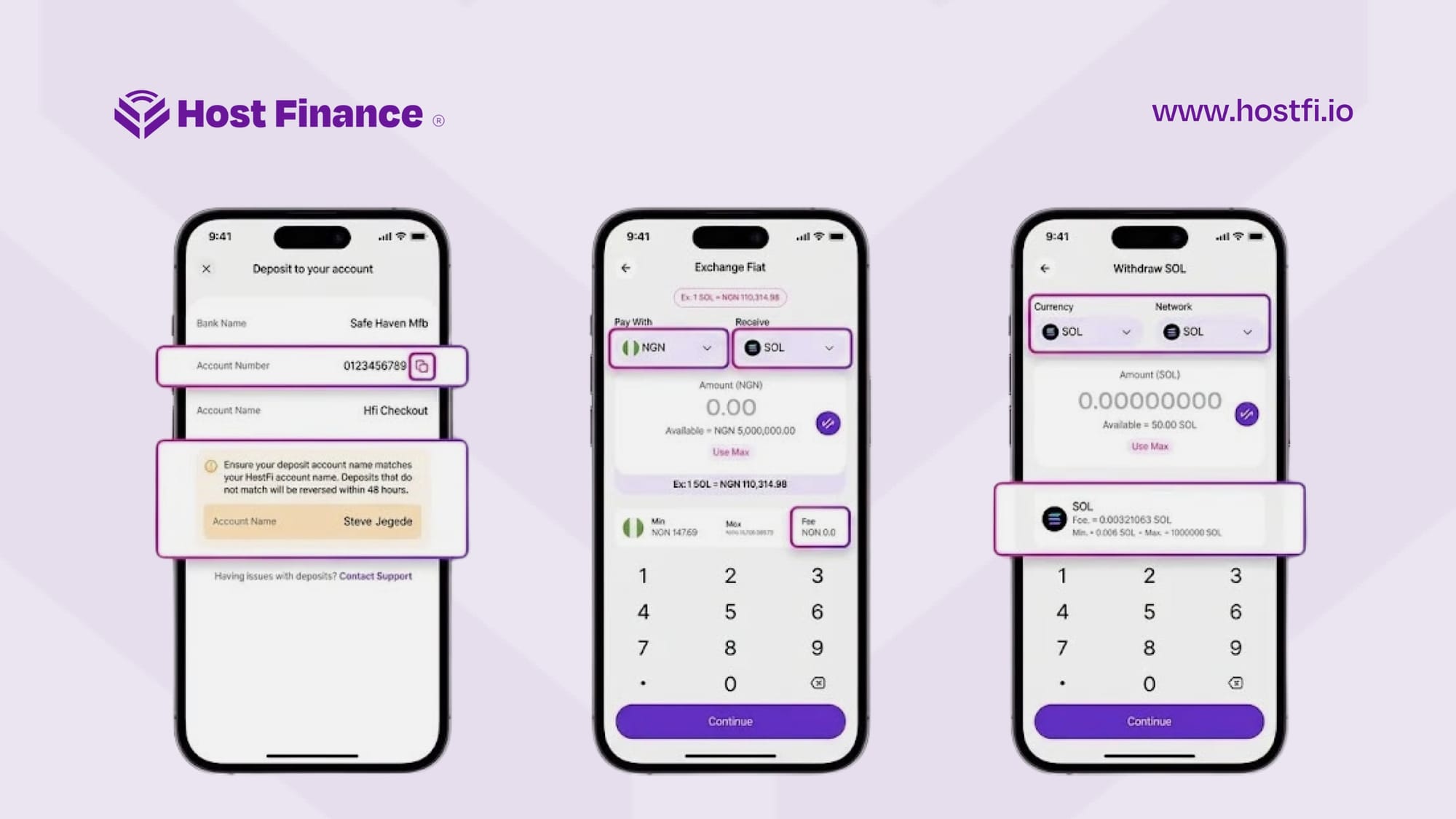
To buy SOL with naira and move it to your Phantom wallet, follow these six steps on the HostFi mobile app:
- Get the app and verify your identity: Download HostFi from the Apple App Store or Google Play Store, and complete your Know Your Customer (KYC) verification.
- Open your naira deposit details: On the HostFi home screen, tap the "More" icon and select "Deposit Fiat" from the pop-up menu.
- Fund your wallet via bank transfer: Copy your dedicated account number and transfer naira from your Nigerian bank app (HostFi charges zero deposit fees). Ensure your bank account name matches your HostFi profile name, as mismatched deposits are reversed within 48 hours.
- Swap NGN to SOL: Return to the home screen and tap "Swap." On the "Exchange Fiat" screen, set "Pay With" to NGN and "Receive" to SOL. Enter your amount (minimum swaps start under ₦200 and adjust with the live SOL rate), review the live NGN/SOL rate shown on screen, and tap "Continue" to convert instantly with no added platform fee.
- Copy your Phantom address: Open your Phantom wallet app, select Solana, and copy your public Solana wallet address.
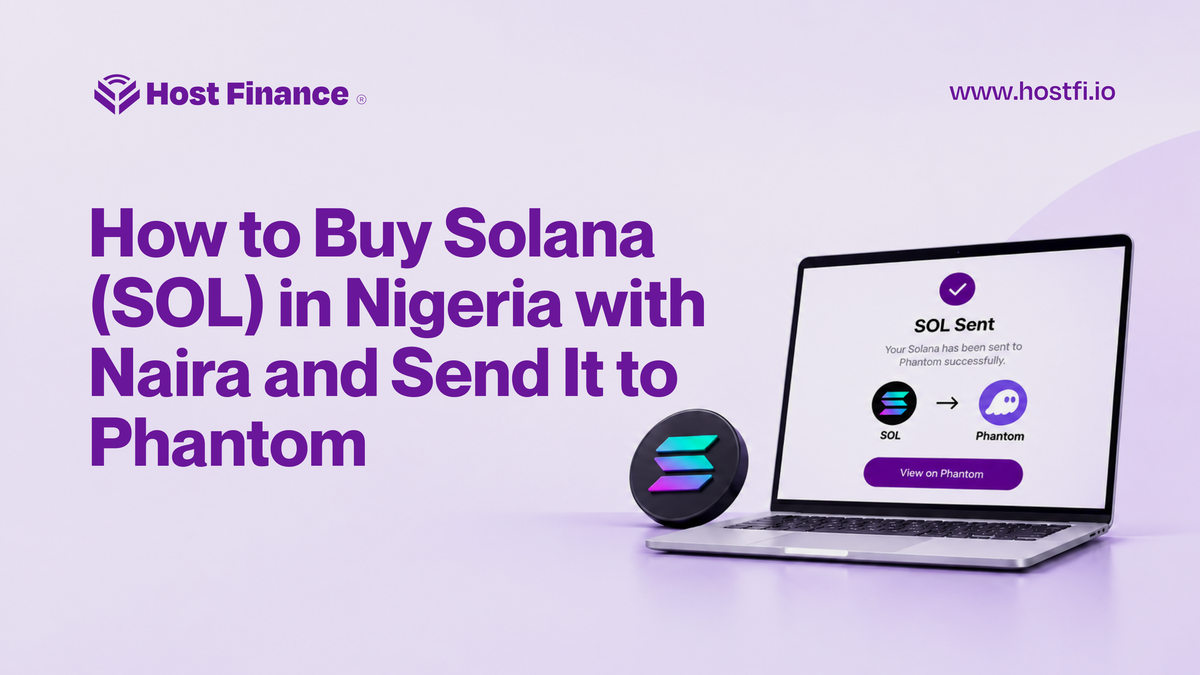
- Withdraw SOL to Phantom: Back on the HostFi home screen, tap "Send" to open the "Withdraw SOL" screen. Ensure both the Currency and Network fields are set to SOL. Enter the withdrawal amount (minimum 0.006 SOL), tap "Continue," paste your Phantom address, and authorise the transfer with your PIN.
Buying SOL Directly on Phantom Versus Buying on HostFi
Many traders search for how to buy SOL on Phantom hoping to skip exchanges altogether. Phantom does let you buy crypto through third-party payment providers, but providers and payment methods vary by location and purchase amount. Each provider sets its own fees and exchange rates, and Nigerian banks set their own international card caps, so your experience depends on your bank and the provider you pick.
If you instead buy USDT elsewhere, send it to Phantom and use the wallet's internal swap to get Solana; Phantom charges a 0.85% fee on select swap pairs.
Traditional P2P exchanges carry their own friction. You buy USDT from a merchant, wait for the seller to release the escrow, move the funds to a spot wallet, trade USDT for SOL, and withdraw it, with the exchange's own fees applying along the way.
HostFi removes those middle layers. You fund your account with a standard Nigerian bank transfer and convert naira directly to SOL inside the app.
| Feature | HostFi Direct Rail | P2P Exchanges | In-Wallet Card Providers |
|---|---|---|---|
| Naira Payment Method | Direct Nigerian bank transfer | Bank transfer to P2P merchant | Debit or credit card |
| Conversion / Purchase Cost | 0 NGN platform fee (live rate quoted upfront) | Merchant spread + exchange spot fee (typically ~0.1%) | Provider checkout fee + FX markup (plus 0.85% on select Phantom swaps) |
| Steps to Phantom | 3 steps (Deposit → Swap → Withdraw) | 5+ steps (P2P buy → Escrow → Spot trade → Withdraw) | 1 step (Direct to wallet, if card succeeds) |
| Withdrawal Fee | ~0.0032 SOL (shown before confirming) | Exchange-set SOL network fee | Bundled into checkout quote |
| Main Trade-Off | Custodial until withdrawn | Escrow wait times & dispute risk | High card fees & Nigerian bank FX caps |
The Easiest App to Buy Solana Instantly
When evaluating an app to buy Solana, speed and cost transparency matter most. HostFi operates a custodial model backed by Two-Factor Authentication (2FA), PIN protection, and cold storage, which remove the stress of managing seed phrases for your everyday fiat-to-crypto balance.
Because the SOL/NGN price moves constantly, waiting for a P2P merchant to release funds can cost you an entry point. HostFi quotes the live rate upfront and scales swap limits dynamically—from under ₦200 up to over ₦14 million per swap—so both small test buys and larger orders go through in seconds.
If you also hold SOL on another exchange and want to consolidate your funds before cashing out to naira, tap "Receive" on the HostFi home screen to see your SOL deposit QR code and address. You can also tap "Create Sub Address" to generate a separate one.
Why You Need a Minimum SOL Balance in Self-Custody
Once you buy and send Solana to Phantom, that balance serves a specific utility. Phantom is a self-custody wallet, meaning you control the private keys and interact directly with decentralised applications (dApps) on the Solana blockchain.
Every action on Solana (swapping tokens, minting an NFT, moving USDC, etc.) requires a network fee paid in SOL. The base fee is 5,000 lamports per signature, so a one-signature transaction with no priority fee costs 0.000005 SOL. You always pay a network fee, even if your transaction fails. The network also requires a small rent deposit to open new token accounts on-chain, which is returned when the account is closed, and you need a small amount of SOL to keep token accounts rent-exempt. For fees and rent, Phantom advises leaving at least 0.02 SOL in your wallet.
When you withdraw from HostFi to Phantom, HostFi charges a flat SOL withdrawal fee of roughly 0.0032 SOL (the exact figure displays on screen before you confirm). Because that fee eats up more than half of a 0.006 SOL minimum withdrawal, batching larger transfers is much more cost-effective.
Frequently Asked Questions
Can I buy SOL directly on Phantom?
Yes, via third-party card providers inside Phantom, though fees and Nigerian bank international card caps apply. Buying with a naira bank transfer on HostFi avoids card limits altogether
What's the cheapest way to send SOL?
Transfers between two HostFi users are completely free. When moving funds from naira to an external wallet like Phantom, depositing naira via bank transfer on HostFi, swapping NGN to SOL directly in-app, and withdrawing over the Solana network skips the P2P merchant step and card fees.
How long does a withdrawal take?
Once you authorise a SOL withdrawal on HostFi with your PIN, the transaction is submitted to the Solana blockchain. Most withdrawals arrive within 1–3 minutes, though heavy Solana congestion can occasionally cause brief delays.
Is it legal to buy crypto in Nigeria?
Yes, owning, trading, and investing in crypto is no longer a legal grey area. In December 2023, the Central Bank of Nigeria (CBN) lifted the banking ban on virtual asset service providers that had been in place since February 2021. In March 2025, the Investments and Securities Act 2025 formalised the legal status of cryptocurrencies and brought virtual and digital assets under the oversight of the Securities and Exchange Commission (SEC). On November 5, 2026, the CBN's Regulations for the Operations of Non-Security Virtual Assets in Nigeria took effect.
How do I get Solana if my bank transfer is delayed?
If you are wondering how to get Solana when a deposit is pending, first ensure the name on your Nigerian bank account matches your verified HostFi account name. Deposits that do not match are reversed within 48 hours. If a matched transfer takes longer than expected due to banking network downtime, tap "Contact Support" directly on the HostFi deposit screen.